The need
Help people find an outing suited to their context without repeatedly starting a new search.
Mobile product · Personal project
From the desire to go out to a connected booking journey.
A mobile app connecting preferences, available time, budget and location to recommendations and an editable itinerary.
Explore the process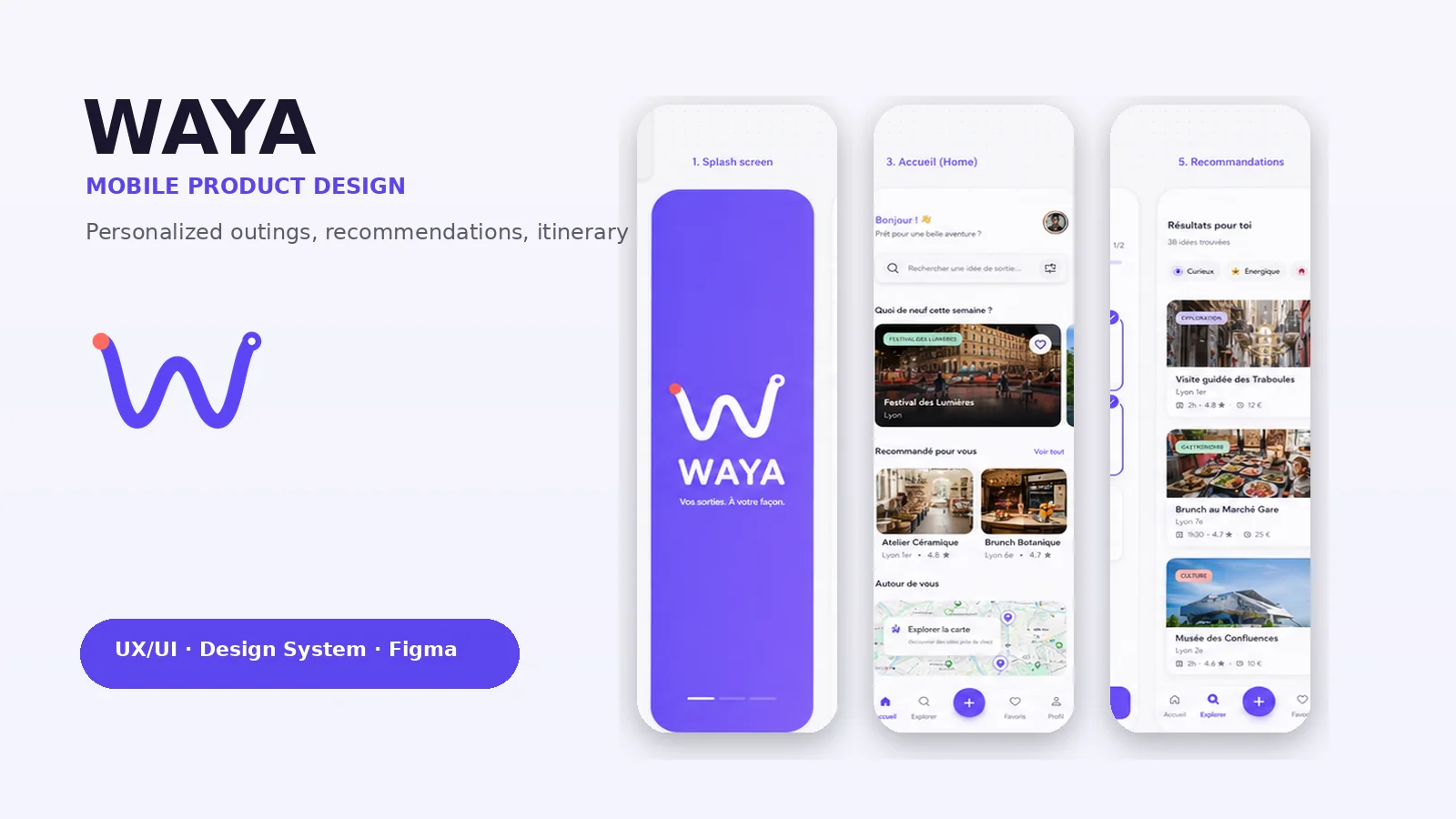
Design concept: these interfaces illustrate the intended experience. The app is not presented as a launched product; compatibility scores are prototype data, not validated measurements.
01The starting point
Choosing an activity involves balancing several constraints. The goal is to connect discovery, recommendations, place details, booking and navigation within one experience.
Help people find an outing suited to their context without repeatedly starting a new search.
Collect preferences progressively, then provide recommendations and editable filters.
A complete concept structured around reusable Figma components and consistent interface states.
02User journey
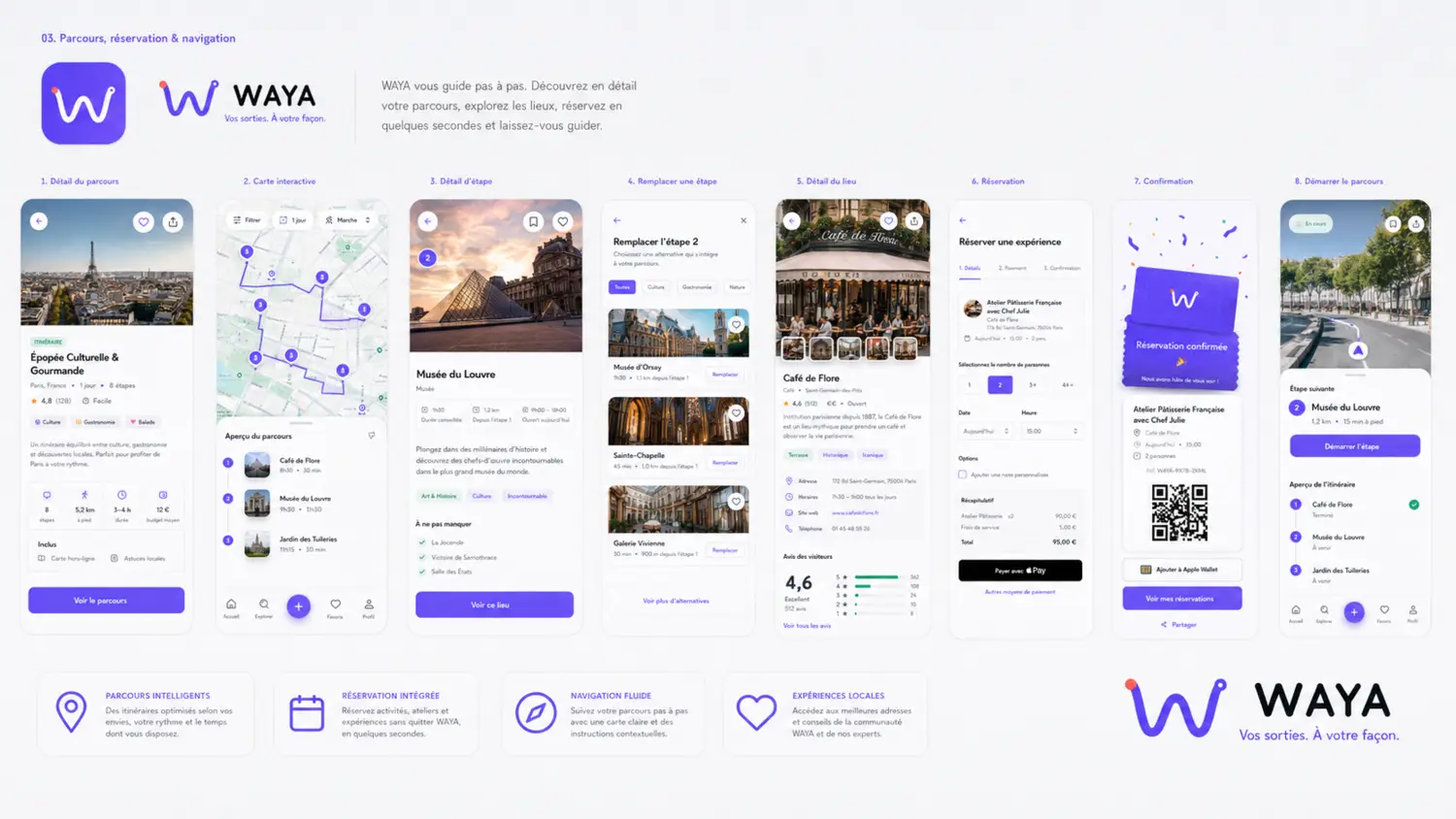
Each step builds on the previous one. Users can adjust their criteria or replace an itinerary stop without restarting the entire journey.
03Figma system
Colors, typography, buttons, filters, cards and states form a shared language. The system supports different flows without rebuilding the interface at every step.
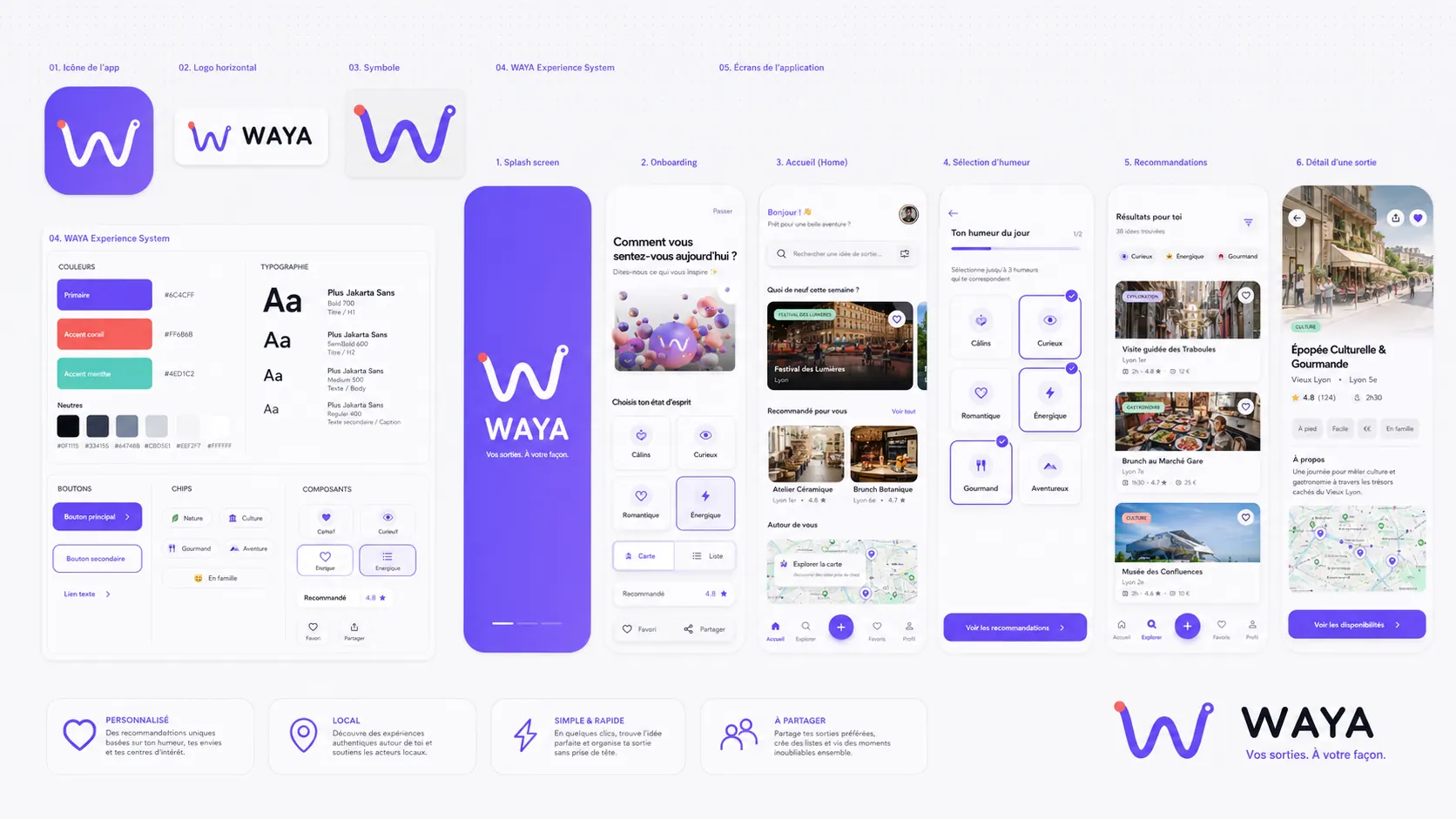
One main decision per step to limit information density.
Visible criteria to explain the relationship between preferences and suggestions.
The option to replace one stop rather than imposing a fixed itinerary.
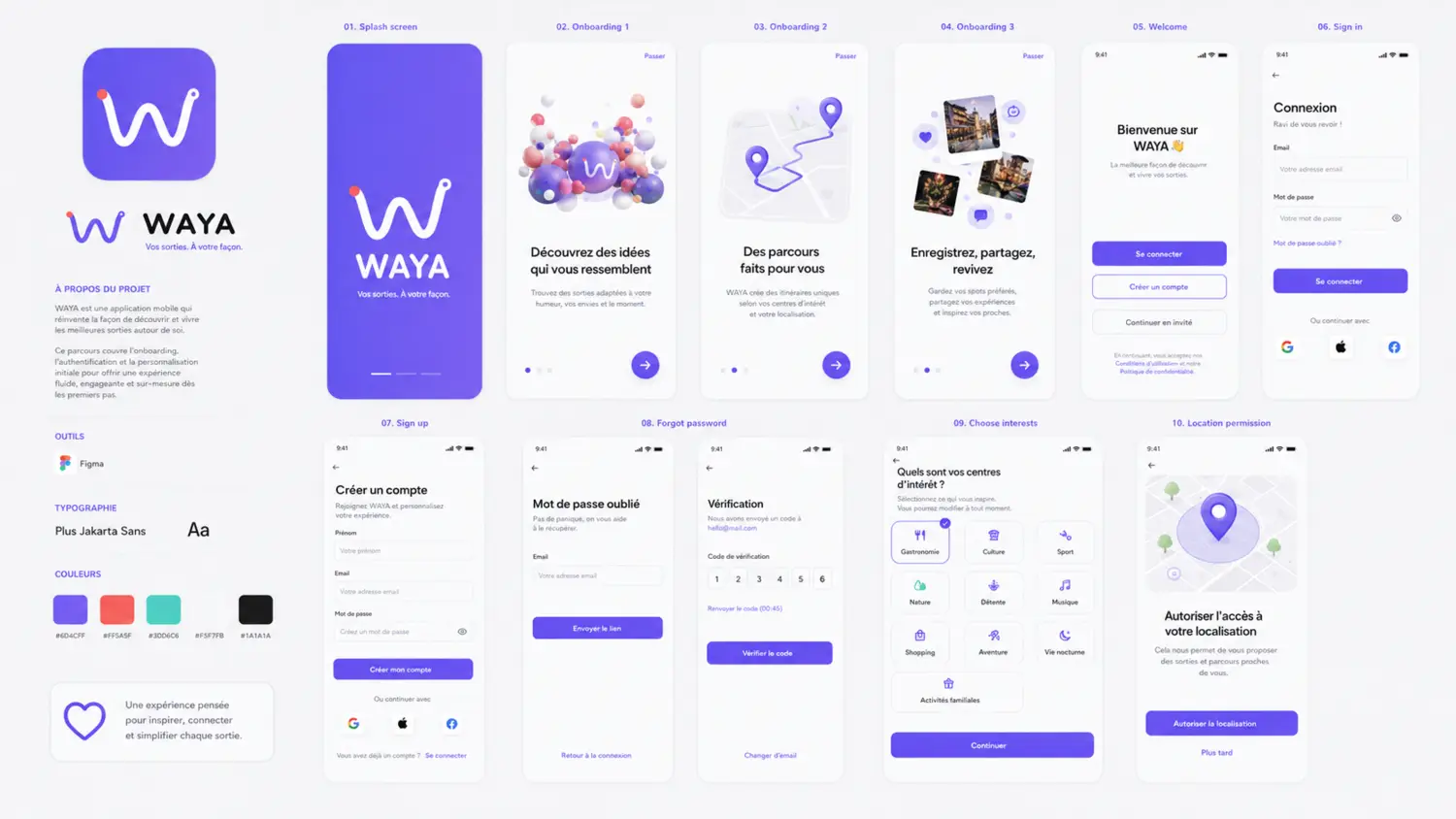
04First use
The app introduction, account access, interests and location permission are presented as separate steps.
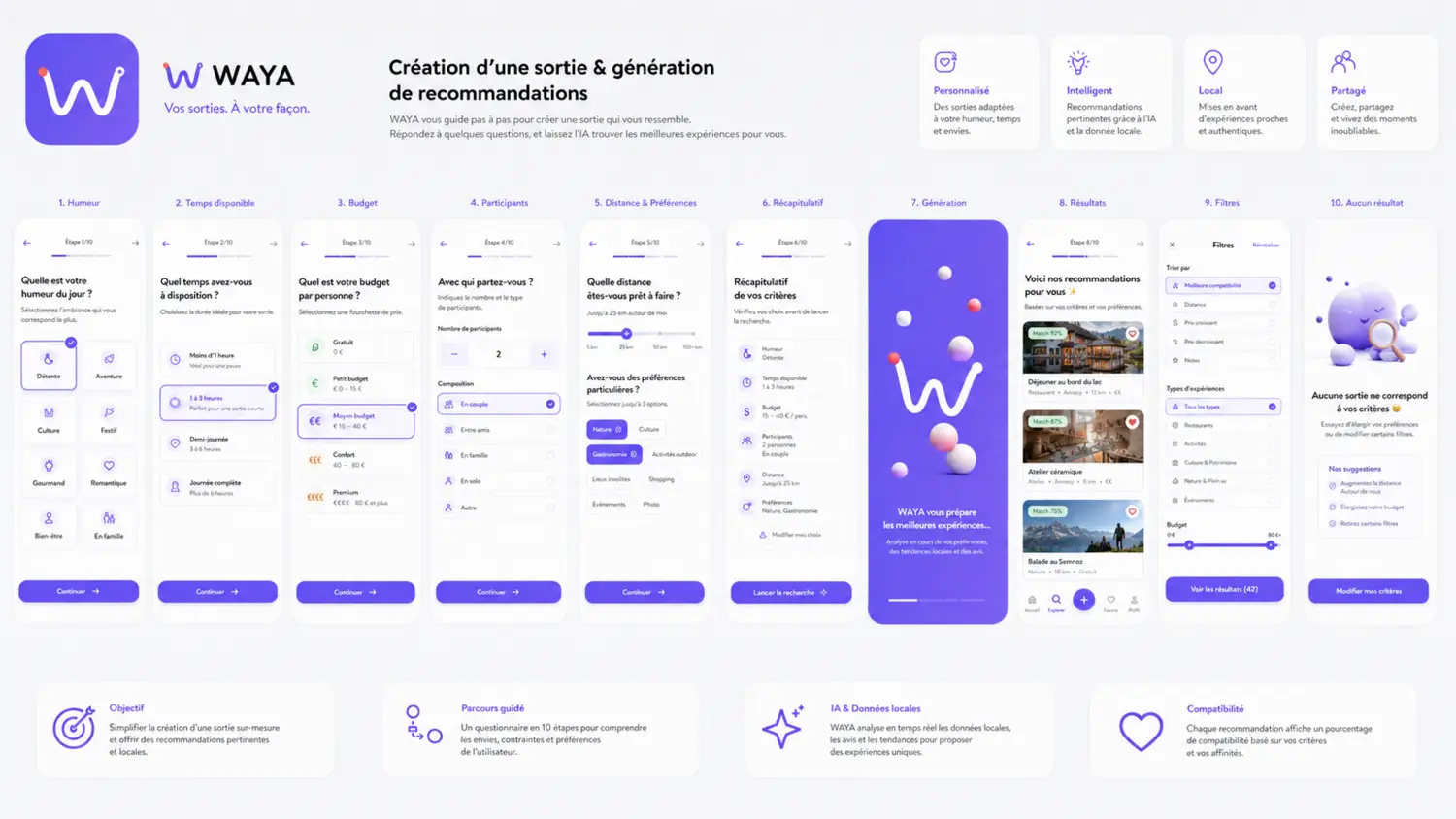
05Recommendations
A guided flow collects mood, available time and budget, then presents suggestions that users can explore and adjust.
06Itinerary & booking
The concept connects place details with route planning, replacing a stop, booking and navigation.
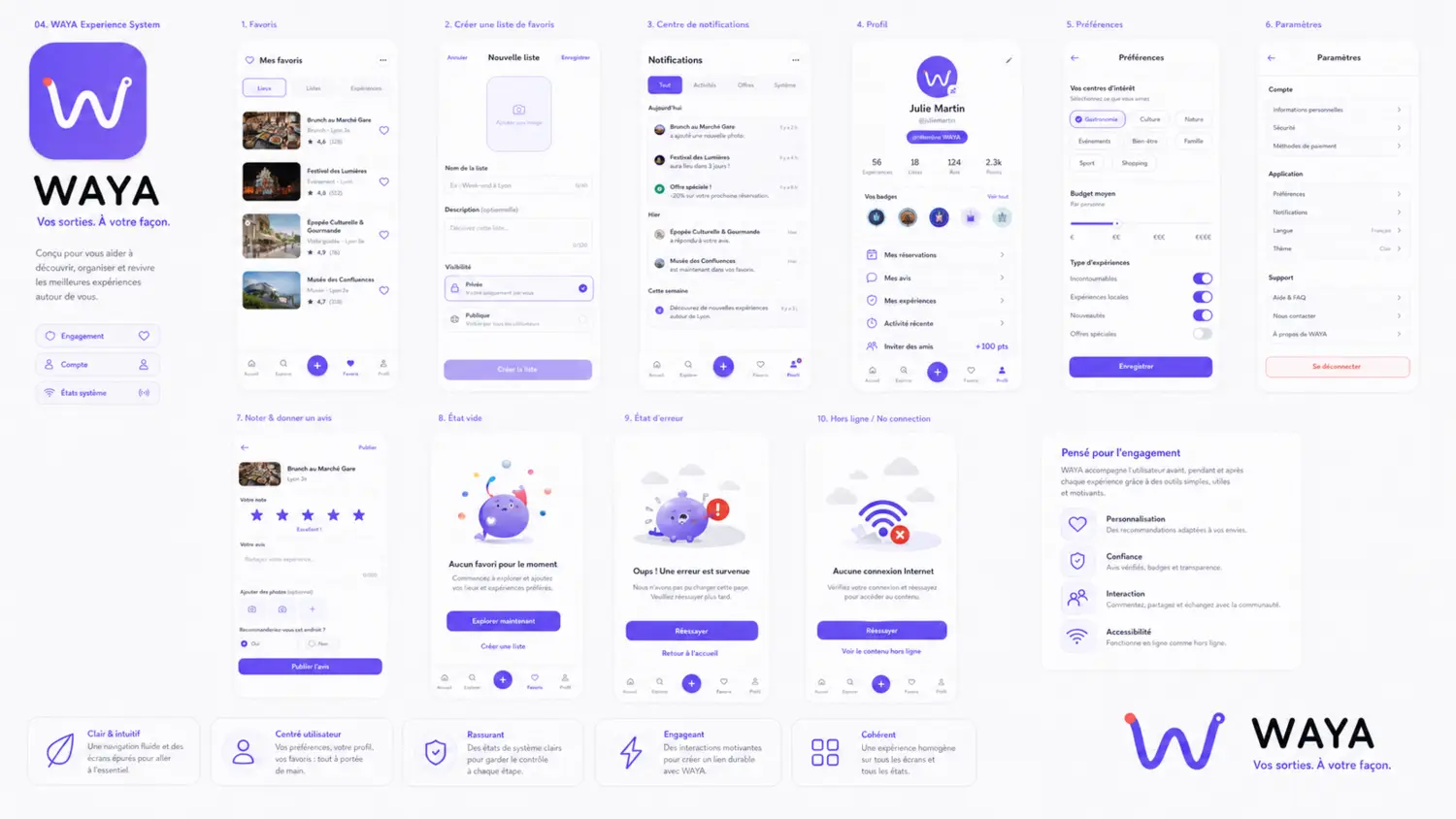
07Interface states
Favorites, notifications, profile, reviews, empty states, errors and offline moments complete the main flows.
What I take from it
This project shows how I connect product architecture, a visual system and detailed interactions. A next step would be to test the prototype with users.
Let’s talk design